Sponsors
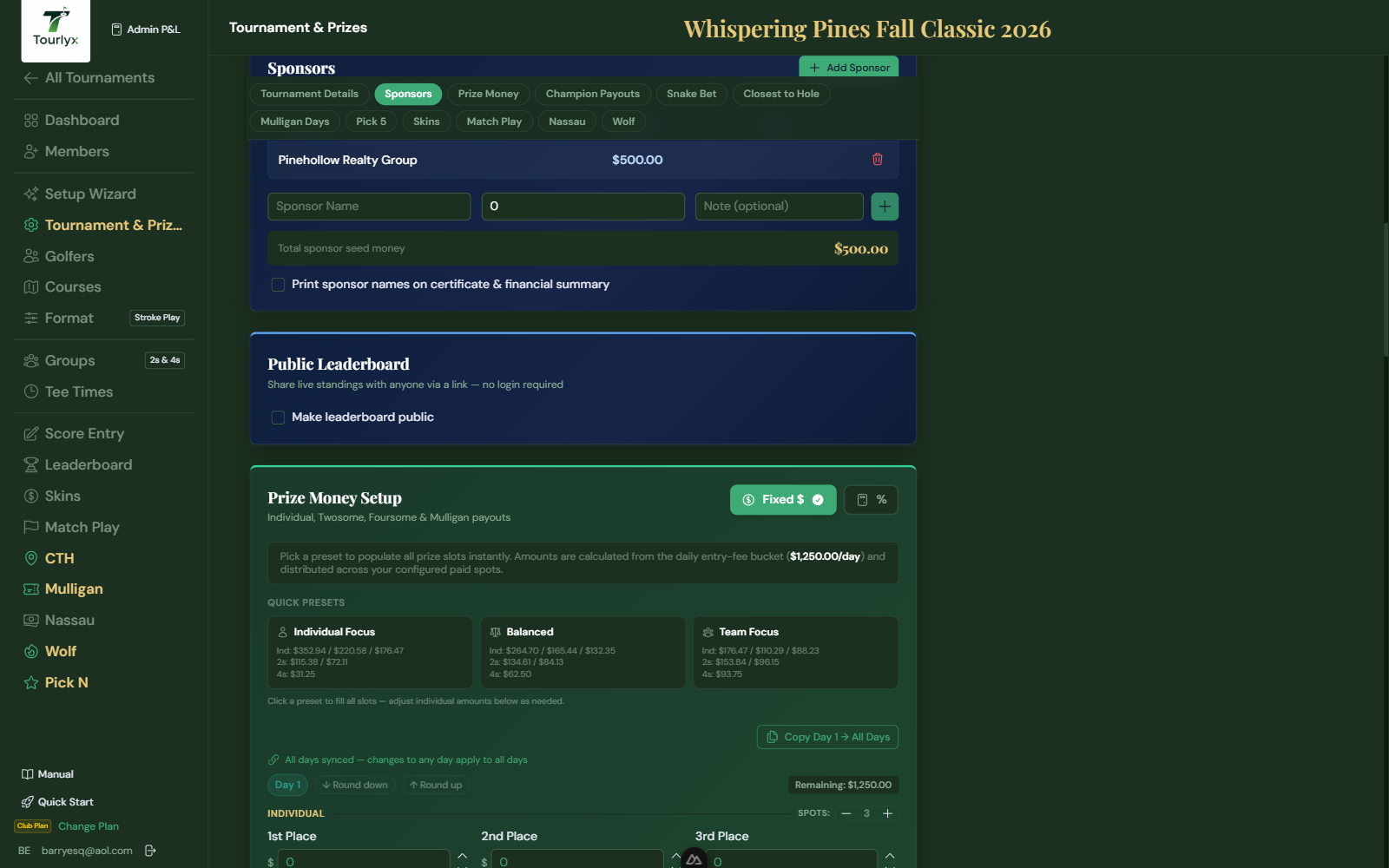
Sponsor contributions form the Sponsor Seed — the pool of money used to fund Champion Payouts. Adding sponsors here automatically updates all financial calculations.
Adding a Sponsor
- On the Setup page, open the Sponsors section.
- Click Add Sponsor.
- Enter the Sponsor Name, Amount (dollars), and an optional Note.
- Click the checkmark to save inline.
- Repeat for each sponsor. The Total Sponsor Seed updates automatically.
Editing or Removing a Sponsor
- Click the pencil icon next to the sponsor row to edit.
- Click the trash icon to delete. You will be asked to confirm.
Printing Sponsor Names
You can optionally display sponsor names on printed materials as a “Presented by” footer.
- In the Sponsors section, check the Print sponsor names on certificate & financial summary checkbox.
- When enabled, the Winner’s Certificate and the Financial Summary print view will include a footer listing all sponsor names under a “Presented by” heading.
- Uncheck to remove the sponsor footer from printed materials.
Tip: This is a great way to acknowledge sponsors on official tournament documents without cluttering the main display. Sponsors see their names on the certificate handed to the champion.
Tip: The Sponsor Seed appears in the Champion Payouts section. If you use Percent mode for champion prizes, the payout amounts are recalculated live whenever this total changes.