Prize Money Setup (Per-Day Prizes)
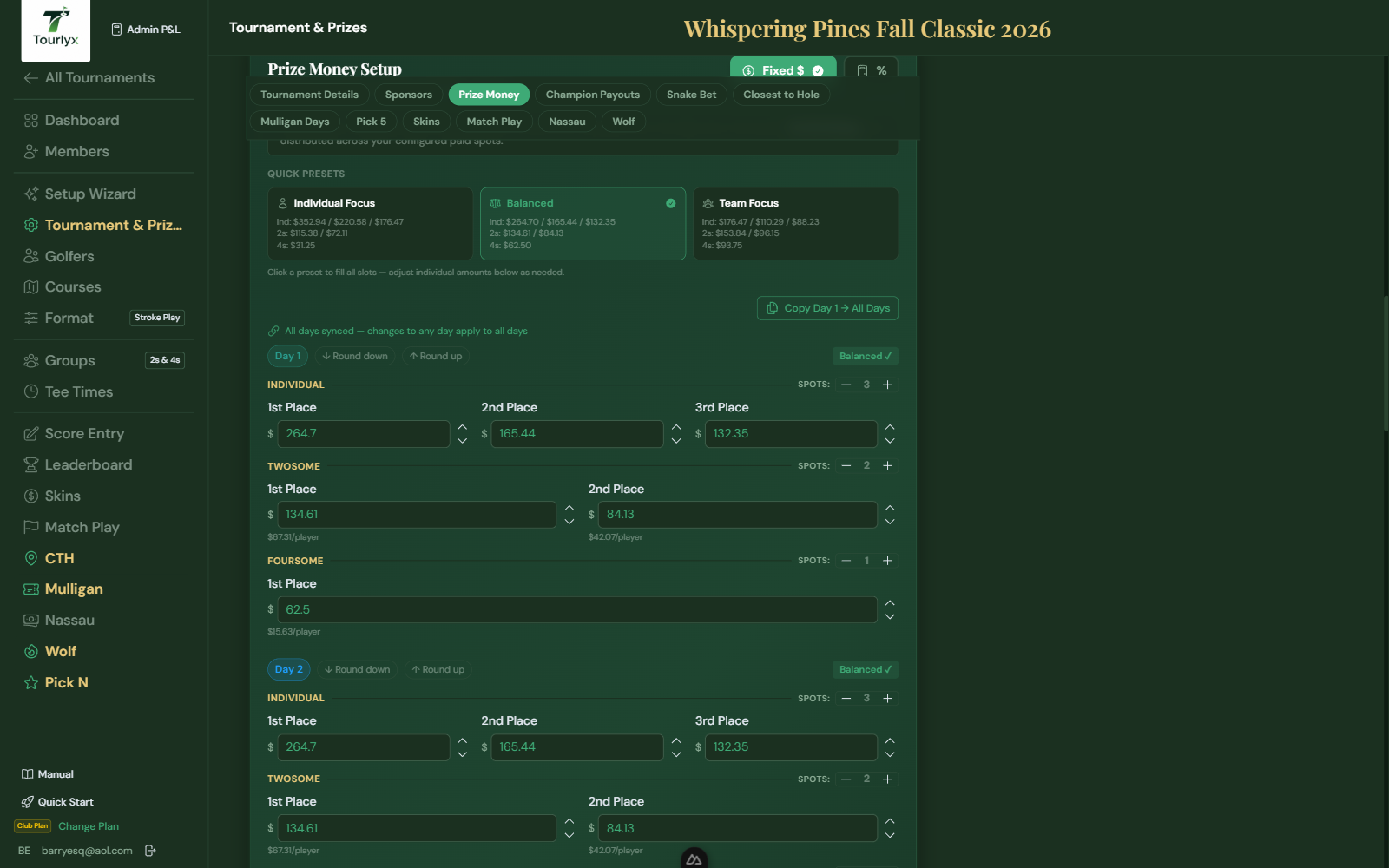
Per-day prizes are awarded to the top finishers in Individual, Twosome, and Foursome categories on each day of play. You set a dollar payout for each place on each day.
Setting Up Day Prizes
- On the Setup page, open the Prize Money section.
- For Day 1, enter dollar amounts for each prize category.
- For multi-day tournaments, repeat for each day — or click Copy Day 1 → All Days to duplicate.
- Click Save Prizes.
| Field / Option | Description |
|---|---|
| Individual 1st | Prize for the golfer with the lowest net score on this day. |
| Individual 2nd | Prize for the 2nd-lowest net individual score. |
| Individual 3rd | Prize for the 3rd-lowest net individual score. |
| Twosome 1st | Prize for the twosome pair with the lowest combined net score. |
| Twosome 2nd | Prize for the 2nd-lowest twosome pair. |
| Foursome 1st | Prize for the foursome group with the lowest combined net score. |
Fixed-Mode Prize Presets
When entering per-day prizes in Fixed $ mode, a row of preset buttons appears above the prize fields. Each preset represents a common prize distribution (e.g., 60/30/10 split). Click a preset to instantly populate all prize amounts. The active preset is highlighted and each button shows the dollar values that will be applied at a glance. If you modify any amount after applying a preset, the active highlight clears to indicate a custom configuration.
Live Balance Indicator
A live balance badge below the prize fields shows how much of the day’s available budget has been allocated as you type. It updates in real time so you can see remaining funds before saving — no need to add up amounts manually.
Dollar Stepper Buttons
Each prize amount field has +$1 and −$1 stepper buttons flanking it. Click them to increment or decrement the prize by one dollar at a time — useful for fine-tuning amounts without retyping the entire value.
Prize Funding Verification
Below the prize fields, Tourlyx shows a live funding check comparing your total prize money commitment against the Total Funding available (entry fees + sponsor seed + mulligan revenue). The indicator turns green when prizes are fully funded and amber or red when prizes exceed or are significantly below the available pool.